01
Draw on the model
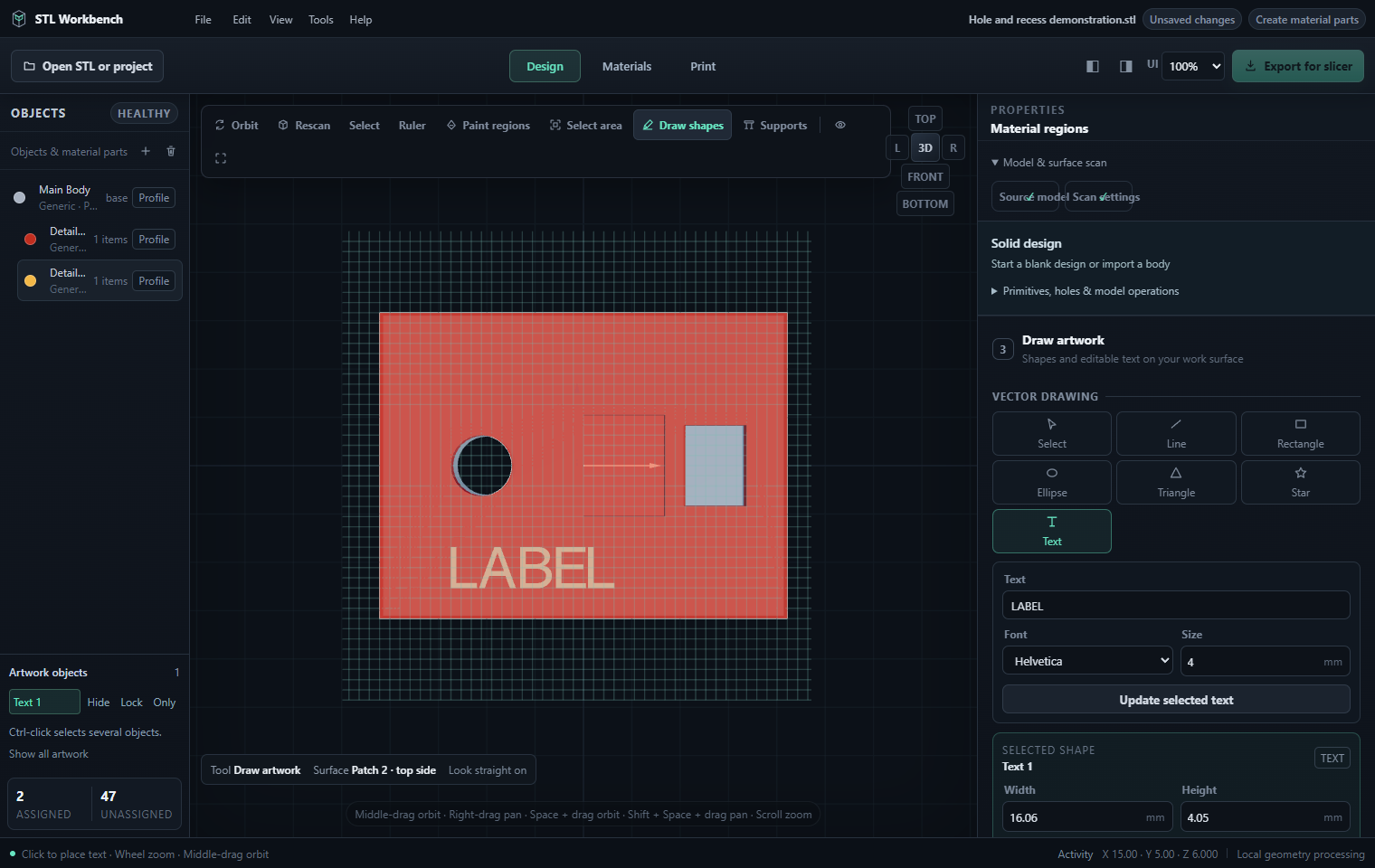
Place editable text and shapes on a chosen work surface, with a local grid and numeric dimensions for precise layout.

STL Workbench · formerly 3D Print Material Divider
STL Workbench brings solid design, surface artwork and print preparation together. Edit a model, create locked material inlays that preserve its exterior, then export an assembled 3MF for your slicer.
 STL Workbench
Already own Material Divider?
This is the updated version of the same product. Existing ITITIT licence holders receive the upgrade free and keep their current licence key and device allowance. There is no new purchase or subscription.
Use Check for Updates in your installed app, or open the activation portal with your existing key to download the latest authorised installer. If activation is requested after upgrading, enter that same licence key. Microsoft Store purchases use Microsoft licensing and Store updates separately.
The exterior stays true.
Inside STL Workbench
Work on your PC with editable solids, artwork and materials in one project. These screenshots show the current interface using simple demonstration geometry.
Place editable text and shapes on a chosen work surface, with a local grid and numeric dimensions for precise layout.
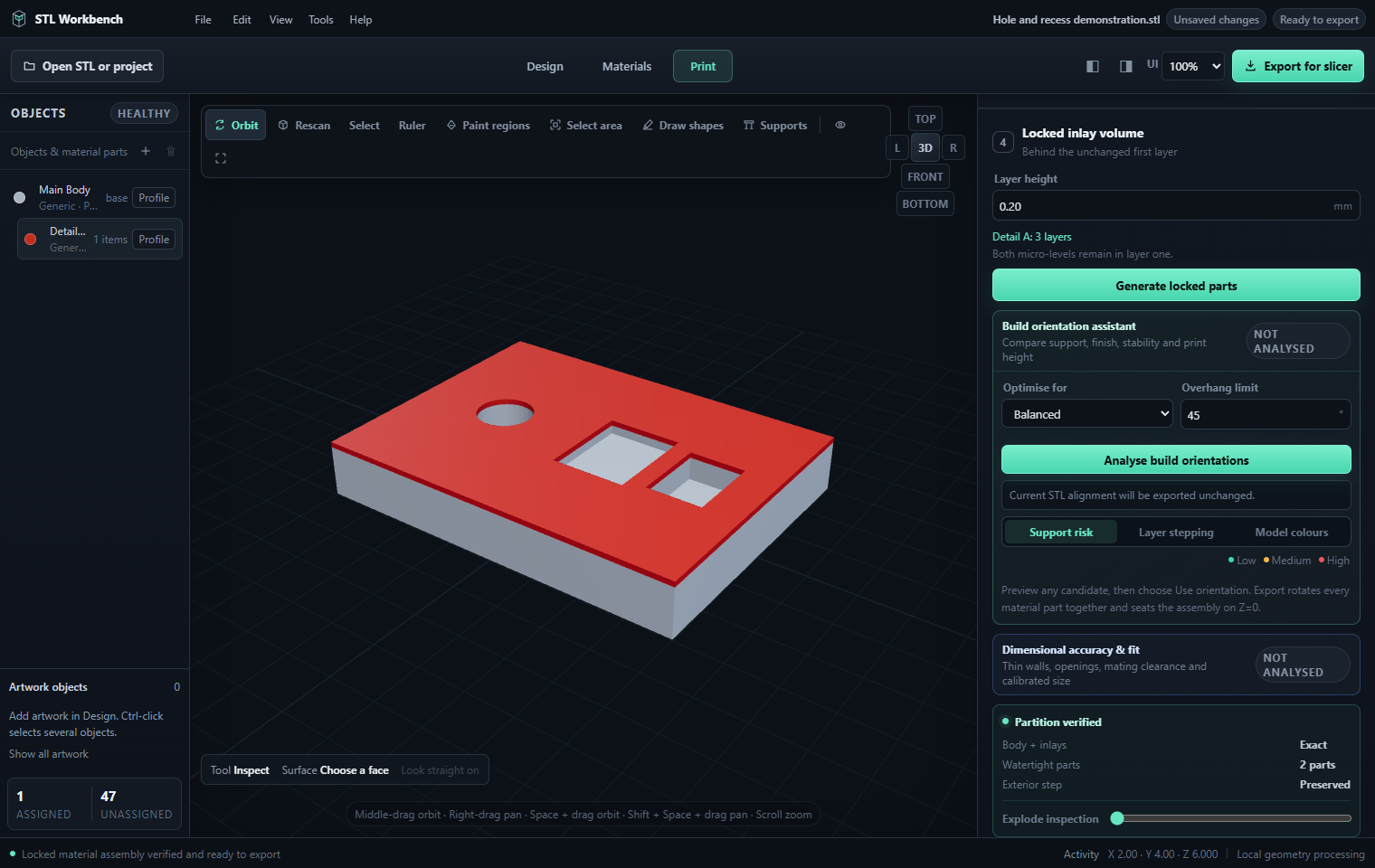
Review the generated watertight parts and preserved exterior, then inspect orientation and dimensional fit before export.
Keep the geometry assembled while choosing the filament slot or tool for each part. Use your slicer to confirm the final printer setup and toolpaths.

Why material depth matters
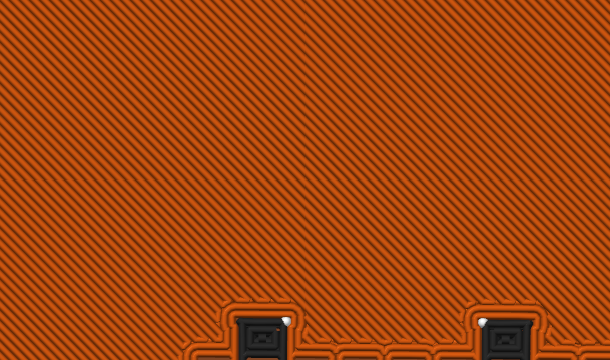
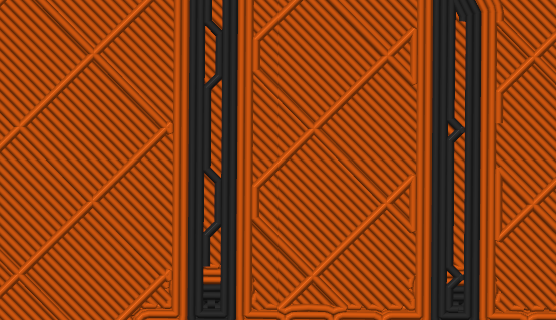
These two layers come from a real sliced print. They show how the material underneath a visible detail can matter just as much as the final top layer.
 Layer 3
Orange infill occupies almost the entire layer while the dark details are only beginning to appear. If a pale surface is printed above insufficiently deep colour separation, the darker or stronger colour below can remain optically visible.
 Layer 4
The dark paths now extend through the layer, but they remain tightly surrounded by orange toolpaths. With thin features, translucent light filaments, or too few covering layers, this can produce shadowing, muddy edges, and apparent colour bleed.
What STL Workbench changes
STL Workbench does not merely paint the final surface. For the depth you choose, it completely separates each selected colour from the main body and creates aligned, locked parts. The body material therefore cannot continue underneath that inlay footprint within those layers, helping prevent lower colours and infill from showing through lighter surface details.
The original inlay demonstration
This original CC0 demo plaque contains eight 0.012 mm recessed regions. The material-divider workflow finds those regions, groups them into three colours, and builds a verified four-part assembly. Download both files and inspect the result in your own slicer. The screenshots below show this original demonstration in the earlier Material Divider interface.
No product geometry and no hidden setup. The plaque was created solely for this public demonstration.
Download demo STL →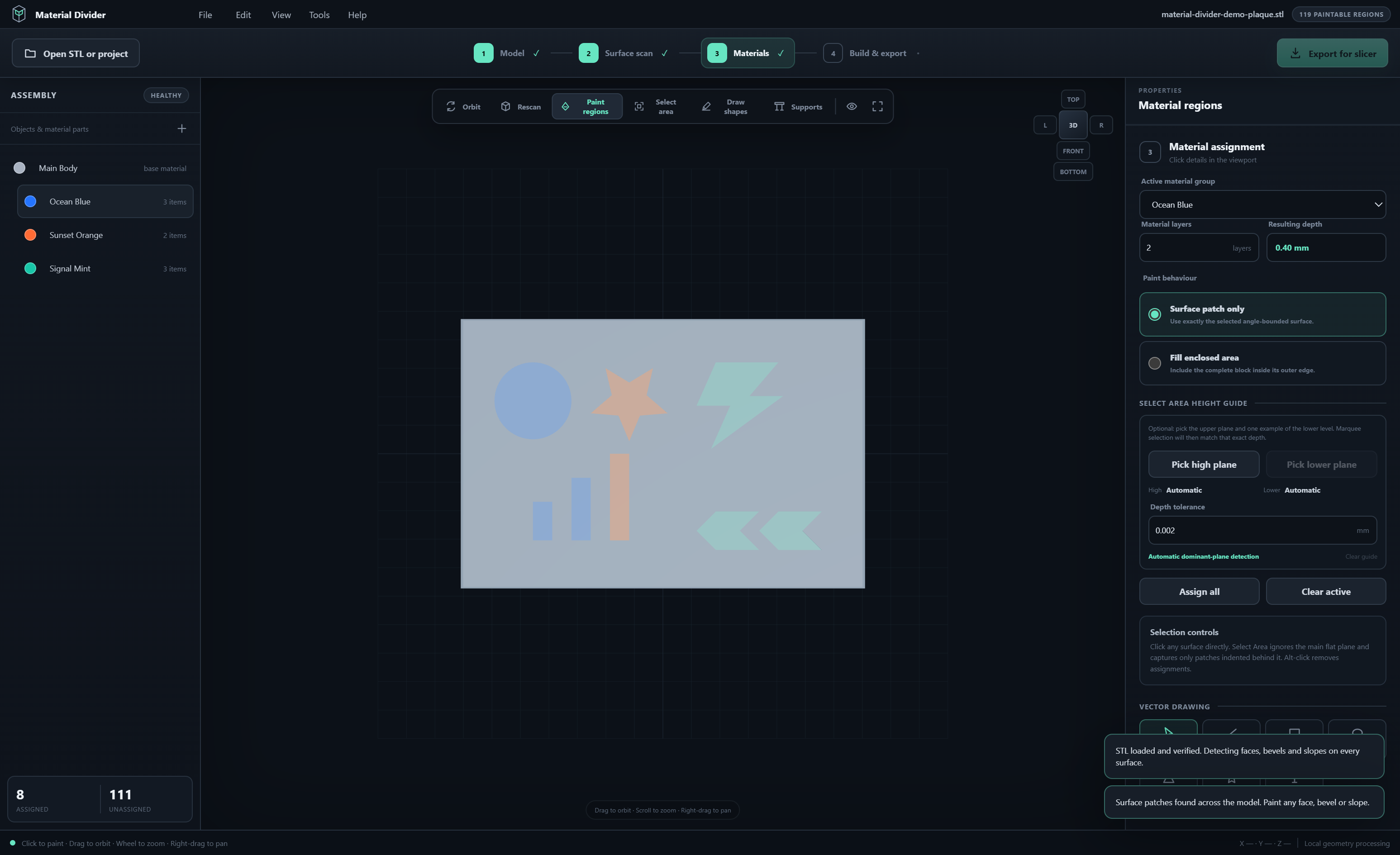
The application confirms an exact partition, four watertight parts, and a preserved exterior before export.
Download expected 3MF →
Demo plaque geometry is released under CC0 1.0, so you may download, print, modify, and share it without attribution.
What it handles
Start from boxes, cylinders, spheres or imported bodies. Combine, subtract and intersect them, use precise transforms, or review repair, cuts and supported edge finishes before applying them.
Turn selected surface regions into aligned, watertight material parts at a depth you choose in millimetres. The material partition preserves the source exterior.
Use brush, lasso, surface scopes and exact partial-surface painting. Select patches first, then apply a material, or choose direct painting for quick assignments.
Draw shapes and editable text, import filled SVG outlines and position artwork on saved work surfaces. Use checked wrapping and projection for supported curved placements.
Save self-contained .mdp projects with geometry, artwork, materials and history. Undo, named checkpoints, recovery snapshots and an illustrated offline manual help you continue later.
Review watertightness, volume, printer fit and orientation, then map parts to filament slots for Bambu Studio, OrcaSlicer, PrusaSlicer, Cura or Generic 3MF. Final toolpaths stay with your slicer.
How to use it
Open an STL or supported closed multipart 3MF, resume an .mdp project, or start a blank solid design. Choose a work surface and add precise shapes, text or SVG artwork.
Select the regions you want to assign, apply a filament profile and set its inlay thickness. Build the material parts and review the watertight and volume checks.
Inspect fit, orientation and the material assembly. Choose your slicer, map the filament slots or tools, and export an assembled 3MF. Save the editable project for the next change.
Good to know
Use the assembled 3MF in your favourite 3D printer slicer. It keeps the generated child parts together so you can assign a filament to each one.
It is a fallback. Import all of its STLs together as one object with multiple parts, and do not auto-arrange the individual files.
Set a thickness in millimetres that suits your filament and print. On a horizontal surface, 0.60 mm is three layers at 0.20 mm. On a side or angled surface, depth follows that surface and is not a literal count of printed Z layers.
The material inlay build preserves the source exterior while dividing it into locked material parts. Solid design, embossing, engraving and mesh-editing tools deliberately change geometry when you apply them.
Yes. The installer is digitally signed and timestamped by IT IT IT LTD. Windows SmartScreen reputation can still take time to build for a new release, but you can inspect the file’s Digital Signatures tab before running it.
Yes. The ITITIT edition can create an offline request code. Enter that code in our activation portal from any connected device, then import the signed response into the offline PC. Offline activations are renewable annually at no charge while the licence remains valid.
Yes. Updates for this same product are included free, including the upgrade from 3D Print Material Divider to STL Workbench. Keep using your existing ITITIT licence key. Use Check for Updates or download the latest installer through the activation portal.
Supported desktop connections can read Bambu LAN AMS slots or a Moonraker/Spoolman active spool after you explicitly connect. PrusaLink can identify the printer but does not supply a complete loaded-filament inventory. Add reported materials to your model and verify the physical spools before printing.
Microsoft handles the Store edition’s purchase, entitlement, installation and updates. An ITITIT licence key belongs to the direct edition and is not a Microsoft Store entitlement. Existing direct customers can upgrade through ITITIT free.
Verified customer reviews
Loading reviews…
Latest signed installer
Install the signed Windows x64 application, activate one PC per purchased copy, and receive same-product updates free. Your model processing stays on your PC, and offline activation is supported.
Already purchased? Get your free update with your existing licence key.
Need help? support@ititit.co.uk