Keep your source open
Browse a folder, inspect its files and use tabs to retain the locations you return to.

Windows file manager · Free + optional Pro
Your files, with room to work.
A Windows file manager for everyday browsing and more demanding workflows. Start with Free tabs, two independent panes, filename search and supported previews. Choose Pro when you need extra panes, advanced search, batch tools, native cloud connections, synchronisation, backups or AI tools.
Multipane browsing · two panes included in Free
Keep two folders visible together instead of repeatedly switching windows. Each pane has its own location, tabs and navigation, so you can browse the source on one side while keeping the destination in view on the other.
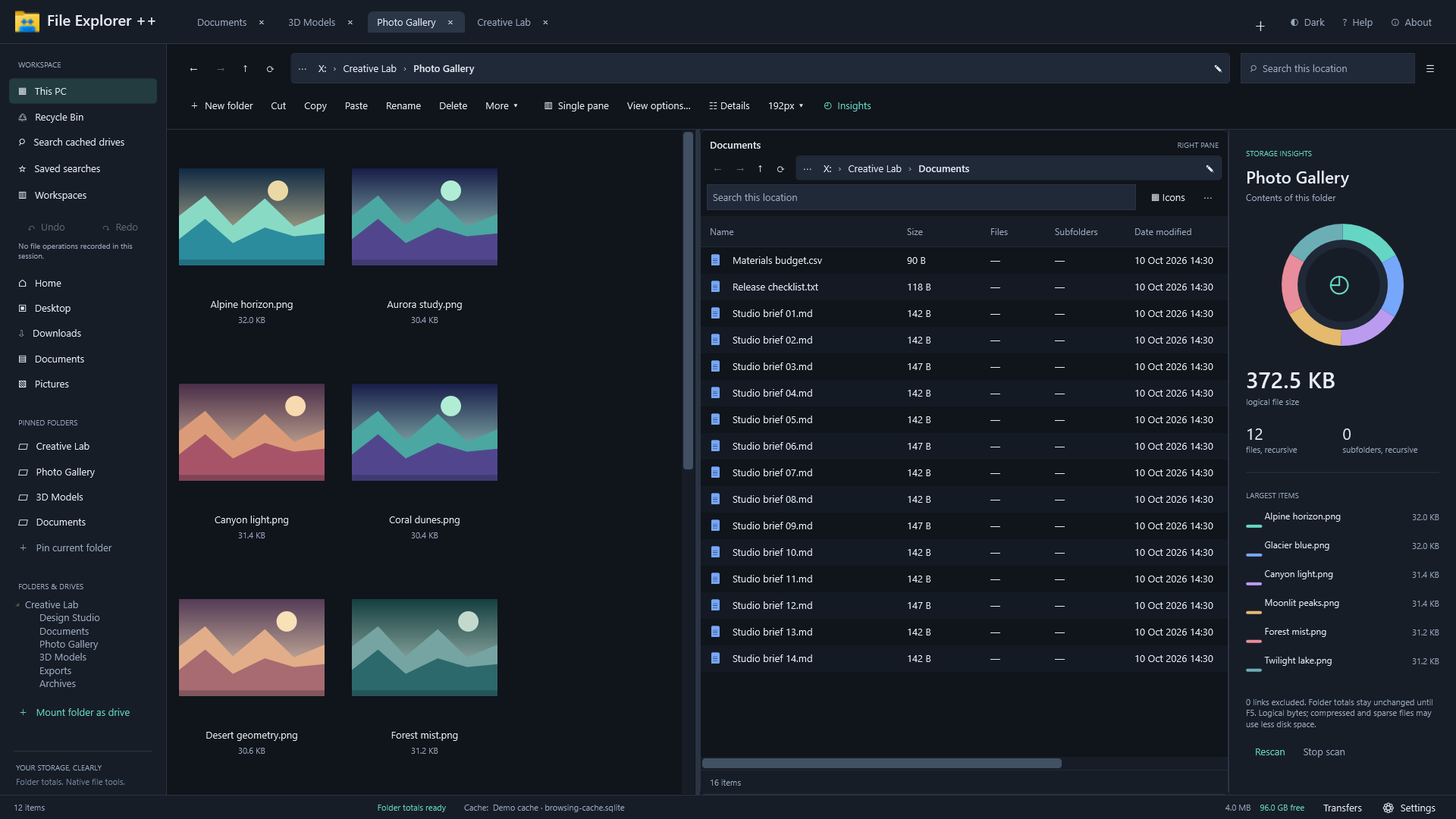
Browse a folder, inspect its files and use tabs to retain the locations you return to.
Navigate the second pane independently. Use a thumbnail view for pictures and a file list for documents, as shown above.
Keep the destination visible while copying or moving files, and check the folder and selection before changing anything.
Two panes are part of Free. Pro expands the workspace to three through eight panes. Pro folder synchronisation is a separate workflow with a review step before changes are applied.
Useful from the first folder
Start with tabs, two independent panes, everyday file operations, filename search and supported previews. The built-in Help covers 91 topics, including guidance for optional Pro tools. Open a group below for more detail.
Optional tools for larger jobs
Pro includes all Free tools and adds the same full Pro suite whether you choose annual billing or a one-time purchase. Explore the tools below, then choose the billing option that suits you.
Choose how you use it
£0
Tabs, two panes, filename search, supported previews, everyday file operations and the complete built-in Help.
Permanently free. Add optional Pro when you need more tools.£9.99/year
All Free tools plus the full Pro suite, including three to eight panes, advanced search, batch tools, cloud connections, sync, backups and AI tools.
Billed yearly from purchase. Automatically renews annually. Manage or cancel renewal through your Microsoft account.£24.99 once
A non-expiring purchase for the same full Pro suite. Choose it if you prefer a one-time payment to annual billing.
Already on Annual? Manage or cancel its renewal separately through your Microsoft account.These are UK prices. Microsoft Store displays the price for your region and account. Buy optional Pro inside the app; Microsoft handles billing and entitlement. Cloud storage, AI and other provider accounts or service charges are separate from Pro.
A closer look at the application
Browse all eight screenshots from the published listing. They use fictional sample files and accounts and were prepared with an earlier app build, so some labels and details may differ from the current release. Each badge describes the featured workflow; optional Pro controls can also appear in a Free-workflow image. Select an image for the full-size view.
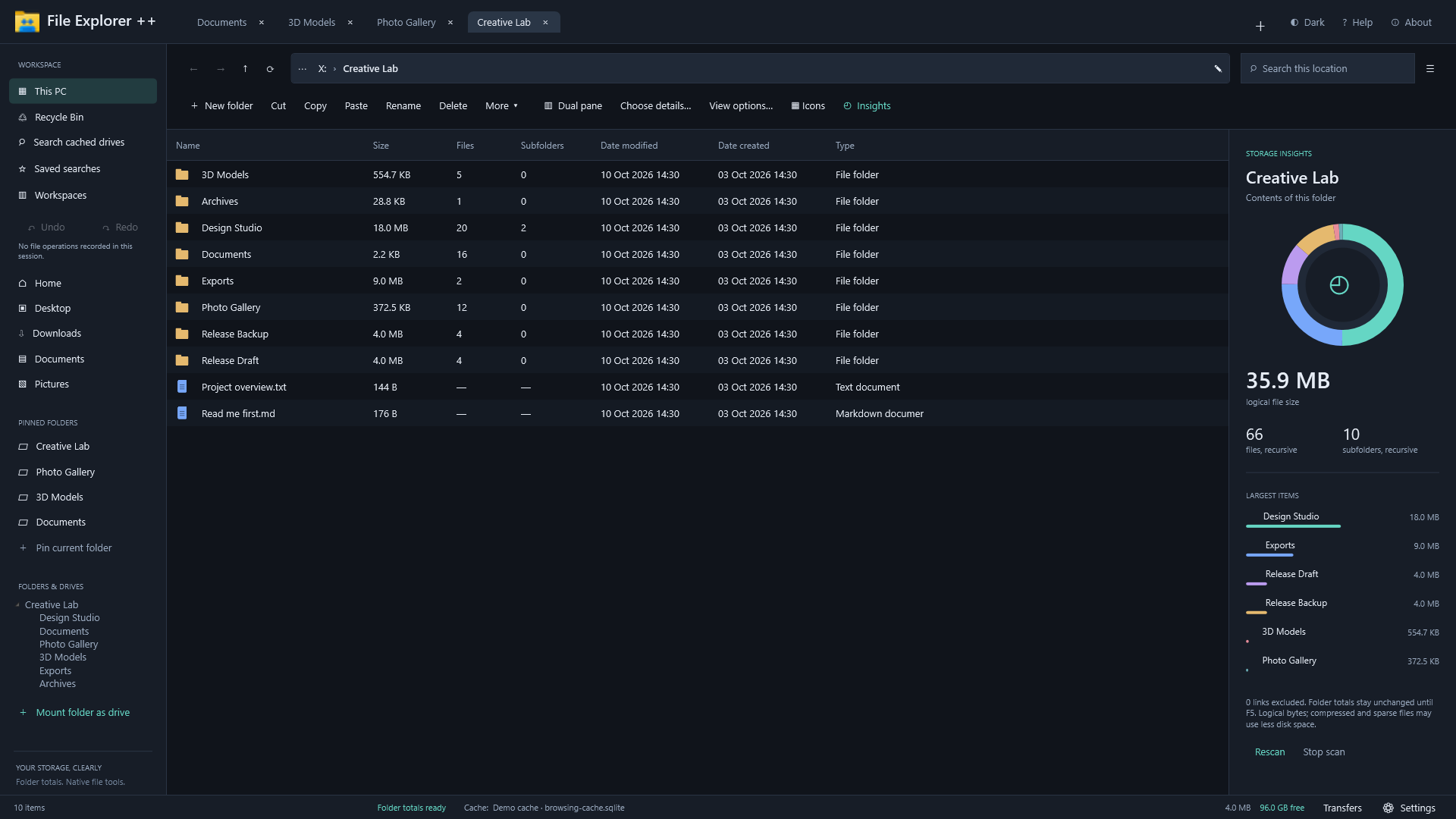
Browse a sample Creative Lab workspace with file details, tabs and storage insights.
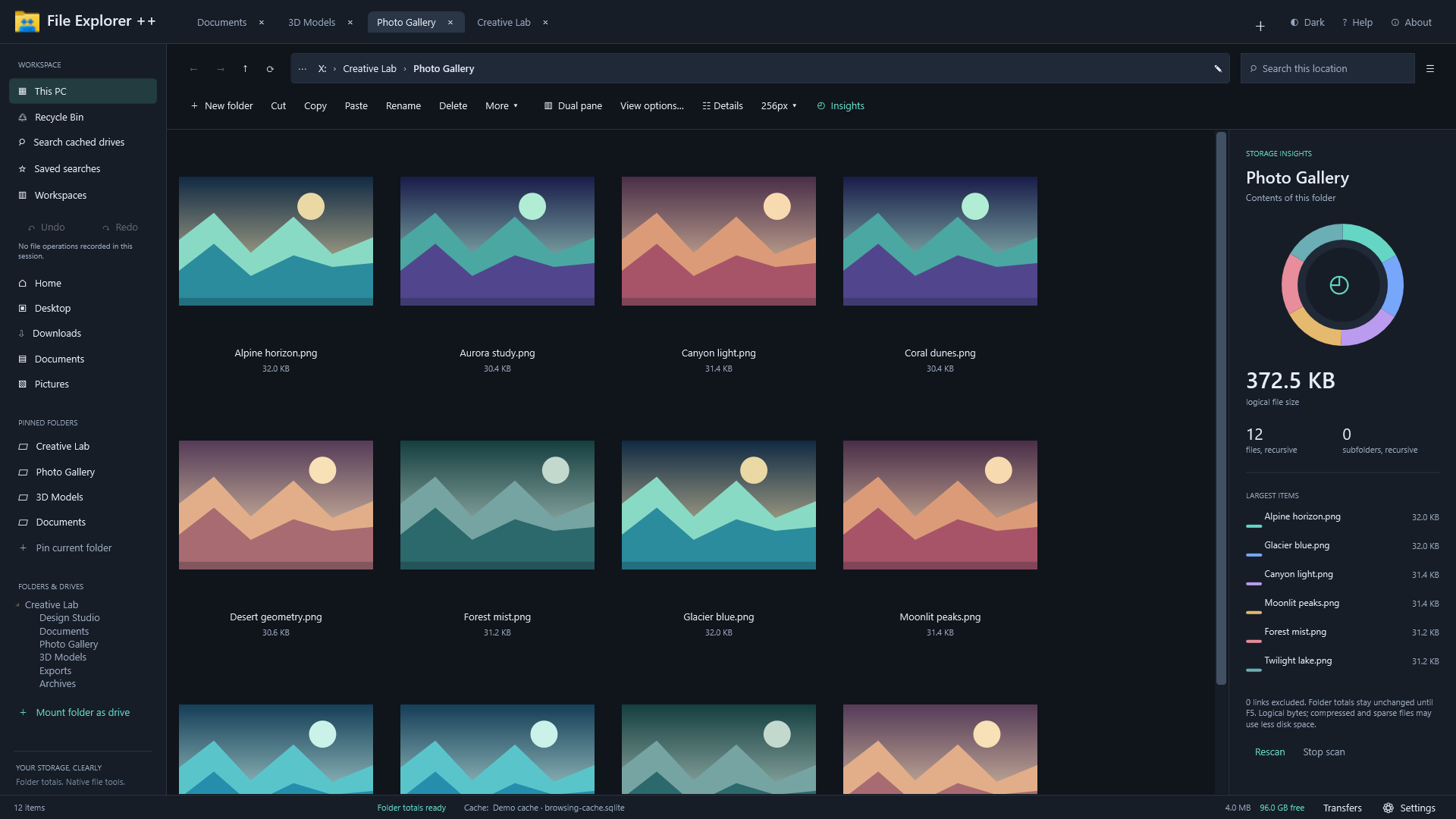
Browse supported images in a sample gallery with large thumbnails and folder insights.

Inspect a sample STL sculpture in the read-only rotate-and-zoom model preview.
Browse sample images on the left and document details on the right, with independent folder views. Two panes are included in Free.
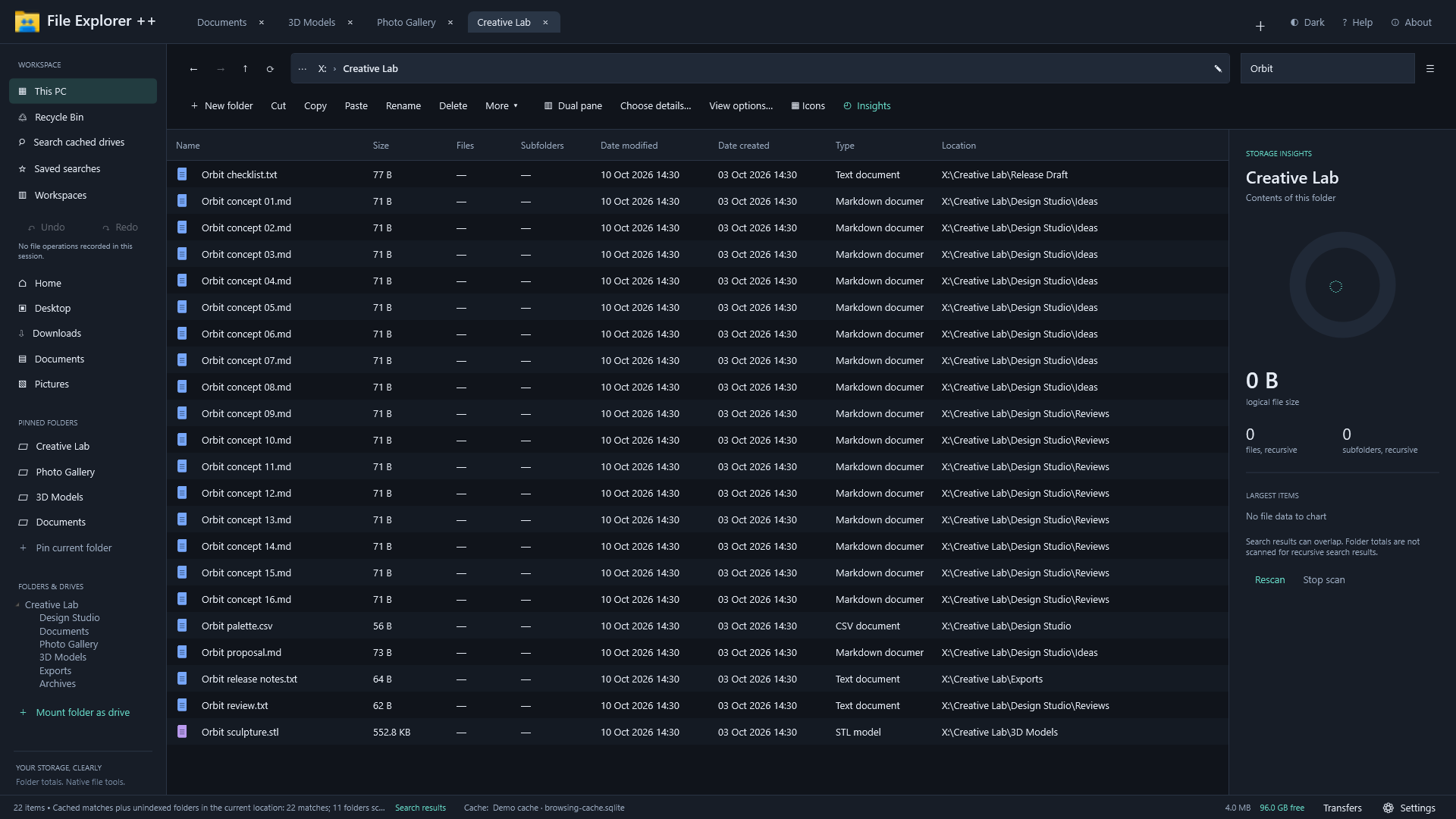
Find sample Orbit filenames through nested folders and see each result's location.
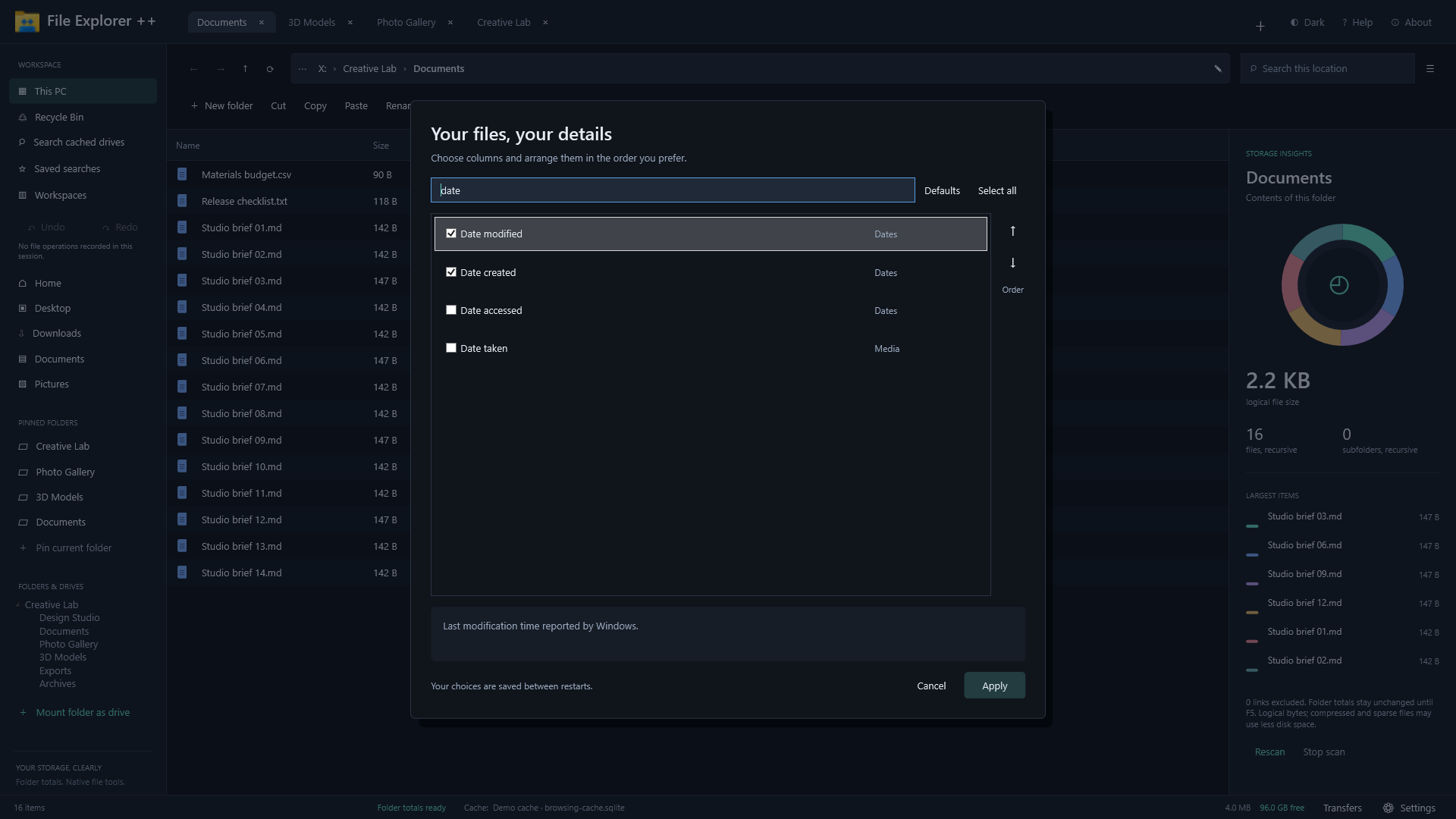
Choose basic date columns in the details picker, and add advanced metadata, media and calculated columns with Pro.
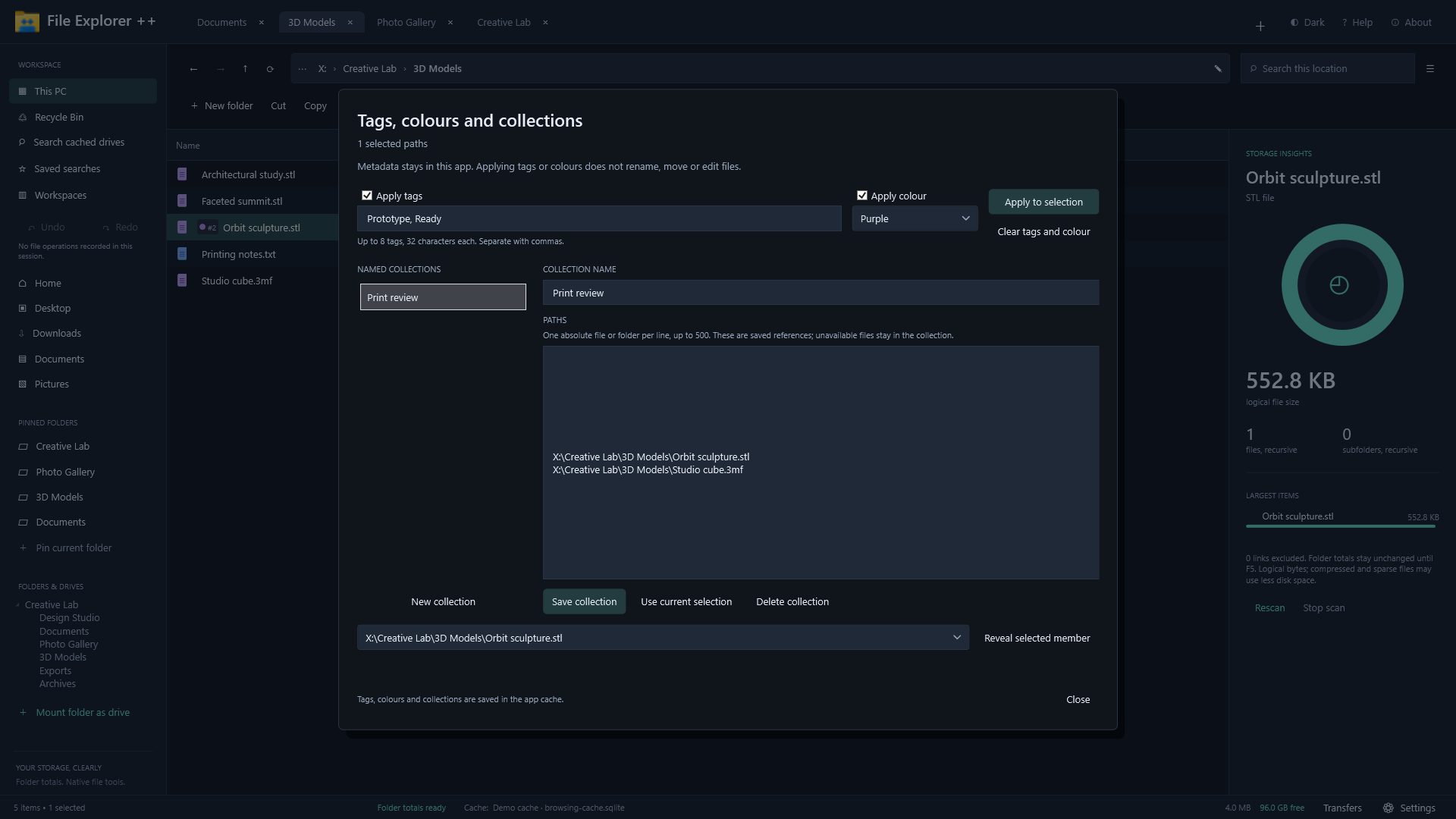
Organise sample file paths with app tags, colour labels and named collections while preserving file contents.
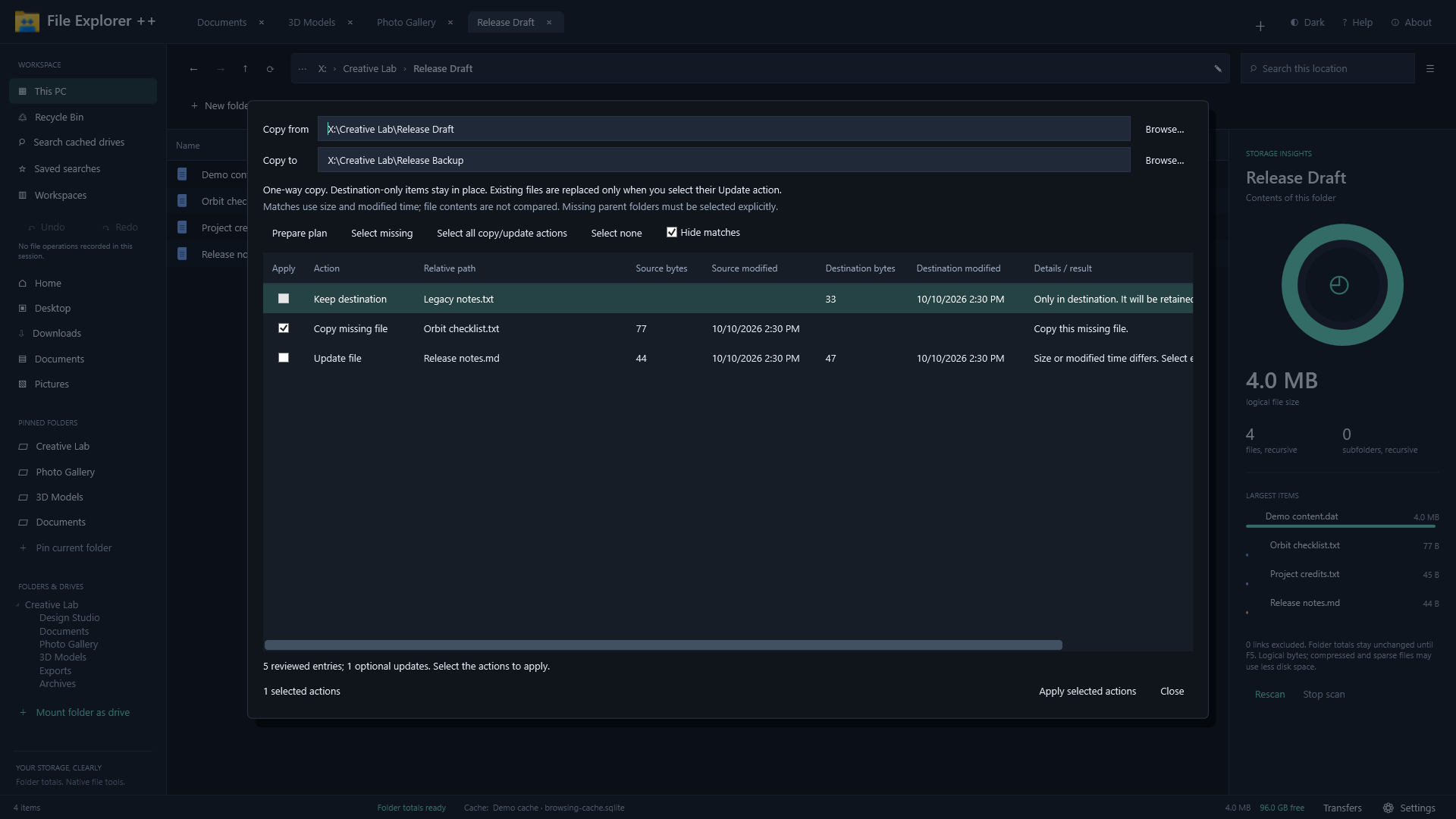
Review missing, updated and retained files between two sample release folders before applying selected actions.
Practical answers
Yes. Tabs and two independent browsing panes are Free. Pro adds the third through eighth panes and advanced saved workspaces.
Yes. In the UK, Pro Annual is £9.99/year, billed from purchase and automatically renewing annually. Pro One-time is £24.99 once and non-expiring. Both unlock the same supported Pro suite. Microsoft Store shows your local price and billing terms before purchase.
Choose Pro One-time in the app for a non-expiring purchase. If you already have Pro Annual, manage or cancel its renewal separately through your Microsoft account. Your one-time purchase then provides the same full Pro suite.
Open Pro license and plans in the app to restore purchases and manage subscriptions. Saved Pro settings, accounts, jobs and layouts are retained; after restoring Pro, request the saved extra-pane layout on the next licensed start. Free tools, Help, cancellation, safeguards, supported recovery and credential removal stay available throughout.
Pro connects to supported cloud and AI services using your own provider account, API key or compatible local service. Provider storage, subscriptions, API charges and quotas are billed separately. Sign-in and available actions depend on provider support, account permissions, publisher registration or verification, and quotas. Installed cloud-sync folders also work as ordinary local folders in Free.
Browse an installed provider's sync folder like any local folder in Free. Use existing-client detection or link the folder to keep it close to your other locations. For supported native cloud browsing and transfers inside File Explorer ++, choose Pro.
Keep File Explorer ++ open with a usable account sign-in for automatic cloud sync and hourly or daily cloud backups. Review and re-enable jobs after reconnecting or restoring a setup. Allow additional provider storage for dated backups.
Local-folder synchronisation matches files by size and modified time. Choose full-content folder comparison to verify content equality. Review roots, directions, conflicts and selected changes before applying a plan.
Use compatible Windows components, codecs, language packs or helpers for the formats, media properties, document previews and OCR languages you work with. Applicable 7z/RAR and advanced archive features use compatible installed tools.
Install and update this edition through Microsoft Store. Microsoft handles Store payment and licensing. Open Pro license and plans in the app for Restore purchases and Manage subscriptions.
Read how optional connected services handle data in our privacy notice. For help with your files or the app, contact product support.
Installation and updates through Microsoft Store
Install the free Windows x64 app, explore the two-pane workspace and choose optional Pro inside the app when you need it.
Microsoft Store handles installation, updates, purchases, ratings and reviews. Contact product support or email support@ititit.co.uk.