Read-only device scan
Collect Android version, security patch, device state, package inventory, permissions, and bounded security findings without changing the phone.

Licensed Android inspection for Windows
AndroidScope gives you an evidence-first view of an Android phone over USB/ADB, with clear limits, useful reports, and no hidden changes to the device.
Observe first. Explain carefully.
What it does
Collect Android version, security patch, device state, package inventory, permissions, and bounded security findings without changing the phone.
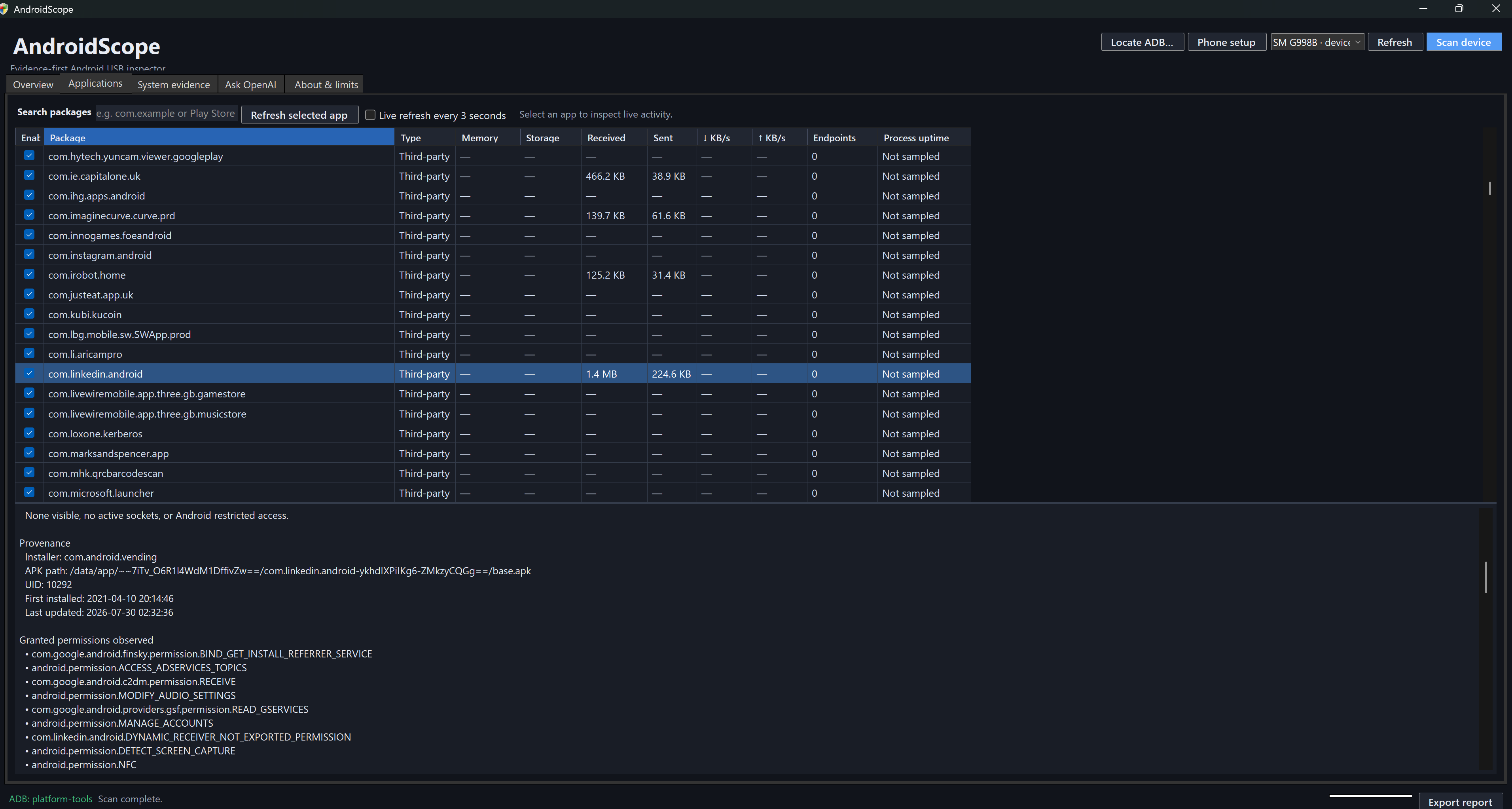
Inspect installed packages and refresh available memory, storage, network totals, transfer rate, visible remote IP addresses, and process uptime.
Export a human-readable HTML report or a complete JSON evidence bundle for later review and comparison.
Ask for plain-English explanations using a redacted summary that excludes serial numbers, raw logs, files, contacts, messages, and network payloads.
Getting started
Enable Developer Options and USB debugging on a phone you own. Samsung users may need to temporarily disable Auto Blocker.
Use a data-capable USB cable, keep the phone unlocked, and approve the computer’s RSA fingerprint when Android asks.
Refresh the device list, choose the phone, run the read-only scan, then save an HTML or JSON report if required.
Security and privacy
The normal scan is read-only. AndroidScope does not modify device settings while collecting its evidence.
If ADB is unavailable, AndroidScope can download the official Android Platform Tools directly from Google, or you can locate an existing adb.exe.
Only a redacted device summary, package inventory, observed permissions, and local findings. Your API key is kept in memory for the session.
No. A normal ADB scan cannot read another app’s private storage, decrypt encrypted traffic, or guarantee that a compromised operating system has not hidden evidence.
Revoke USB debugging authorisations, turn USB debugging off, and re-enable Samsung Auto Blocker if you temporarily disabled it.
Yes. AndroidScope creates an offline request code that you can enter in our activation portal from another device. Import the signed response on the offline PC; the offline activation can be renewed annually.
Yes. Your purchase includes AndroidScope updates. Online installations can check from inside the app; offline installers can be transferred from another computer.
Verified customer reviews
Loading reviews…
Latest signed installer
Install the signed Windows x64 application and activate one PC per purchased copy. The installer is digitally signed and timestamped by IT IT IT LTD, and offline activation is supported.
SHA-256: D87096B0F3DF8AFD94B0F67D7CF41AF532A91D4B39B44EB2B778FC41ABC8C0B4
Need help? enquires@ititit.co.uk