Fast, quality-preserving trims
Compatible footage is cut using stream copy, avoiding a slow re-encode or quality loss.

Portable Windows video editor
Cutline is the straightforward way to trim and stitch local videos—without complicated tracks, cloud uploads, or a sprawling editing suite.
A video trimmer. Nothing else.
Why Cutline
Compatible footage is cut using stream copy, avoiding a slow re-encode or quality loss.
Combine complete videos or marked sections, then reorder, preview, re-edit, or remove clips.
Your videos remain on your Windows PC. There are no accounts, uploads, adverts, analytics, or telemetry.
When clips differ, Cutline creates a common high-quality H.264/AAC MP4 without stretching the picture.
How to use Cutline
Open a local video file or drop it onto Cutline.
Move the start and end markers, or press I and O at the playhead. Fine-tune either marker one frame at a time.
Preview the marked range, optionally remove its audio, then choose where to save the finished clip.
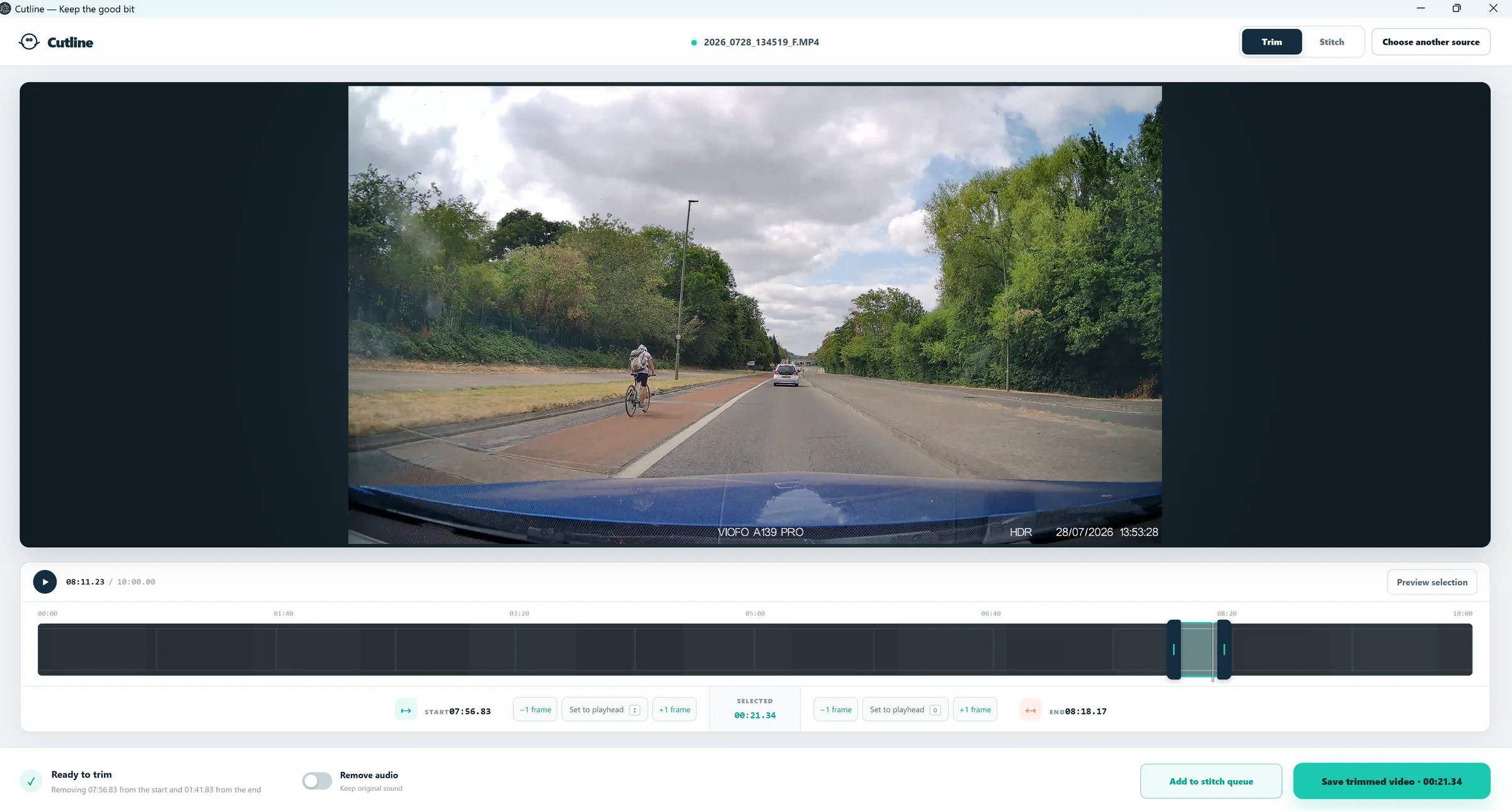
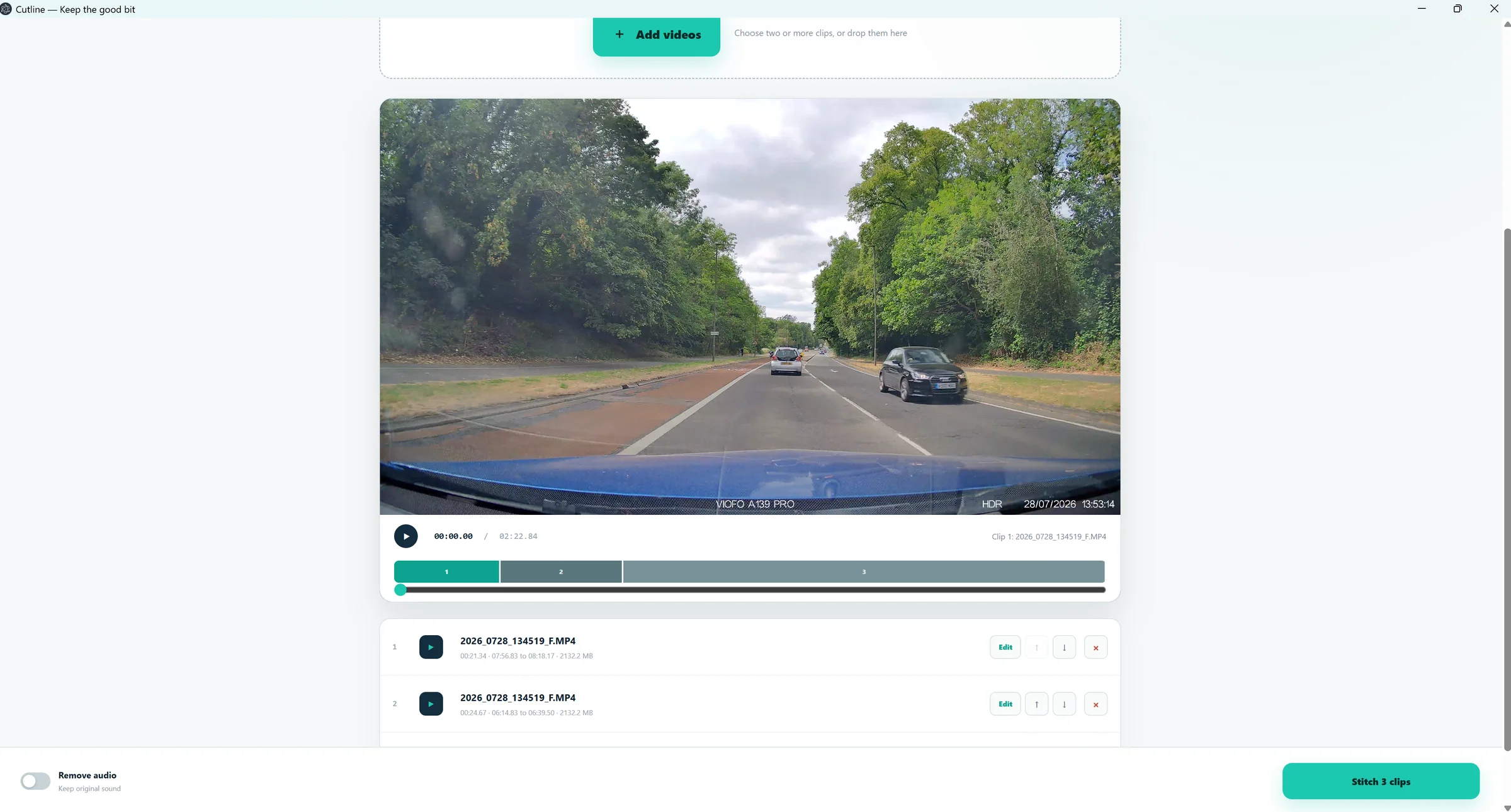
Add a marked selection from the trimmer, or add complete video files directly in Stitch mode.
Reorder, remove, or return any queued clip to the trimmer for a more precise cut.
Watch the queue as one continuous video, choose whether to keep audio, then save the combined result.
Good to know
Quality-preserving trims use the source video’s keyframes. A saved clip can begin at the nearest usable keyframe rather than the exact preview frame.
Cutline converts mixed formats to a common H.264/AAC MP4, using the best source resolution, frame rate, and bitrate. Different aspect ratios are padded rather than stretched.
No. Processing is local, output goes only where you choose, and Cutline has no accounts, analytics, advertising, telemetry, or cloud processing.
Space plays or pauses. I sets the start marker, O sets the end marker, and the controls beside each marker move it backwards or forwards by one source frame.
Latest portable build
Download the portable application, place it wherever you like, and run it—there is no installer and no account to create.
Need help? enquires@ititit.co.uk